Early bird $3.99 · Windows 10/11 · Local-first

The top of your screen, finally useful.

Music, notes, plans, posture and your AI sessions — folded into one quiet strip that appears when you hover, then gets out of the way.

v1.0.22 · 128.2 MB installer · unsigned build · SHA-256 included

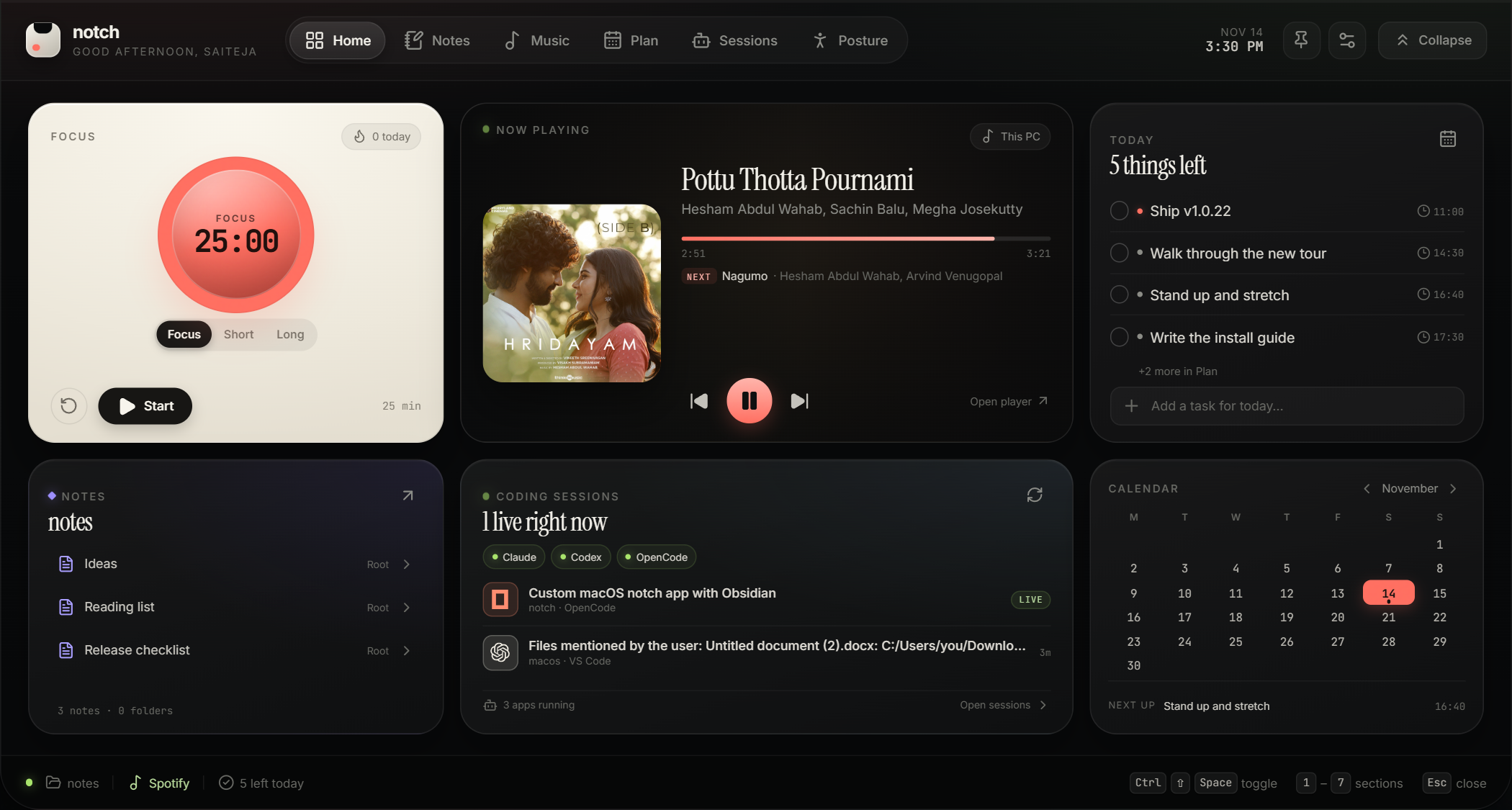
The expanded Notch panel: a playing track, the day’s plan and a posture score.
Esc closes it

Hover the notch to unfold it · click the tab to pin it open

One price Pay once, no subscription
Local Your files stay on your PC
Quiet Never on the taskbar
Open Public GitHub releases
Watch it work

The notch, doing its job.

Scroll and the notch opens, moves between its six tabs and folds away again — exactly as it behaves on a desktop. The tiles in the taskbar jump to a feature.

The notch 1 / 7

Collapsed, it is thirty pixels of quiet.

A sliver at the top edge of the screen. Hover opens it; Esc folds it away.

The tour

Six tabs, one hover away.

Every panel below is a screenshot of the real app, taken with a demo notes folder. No mockups, no invented controls.

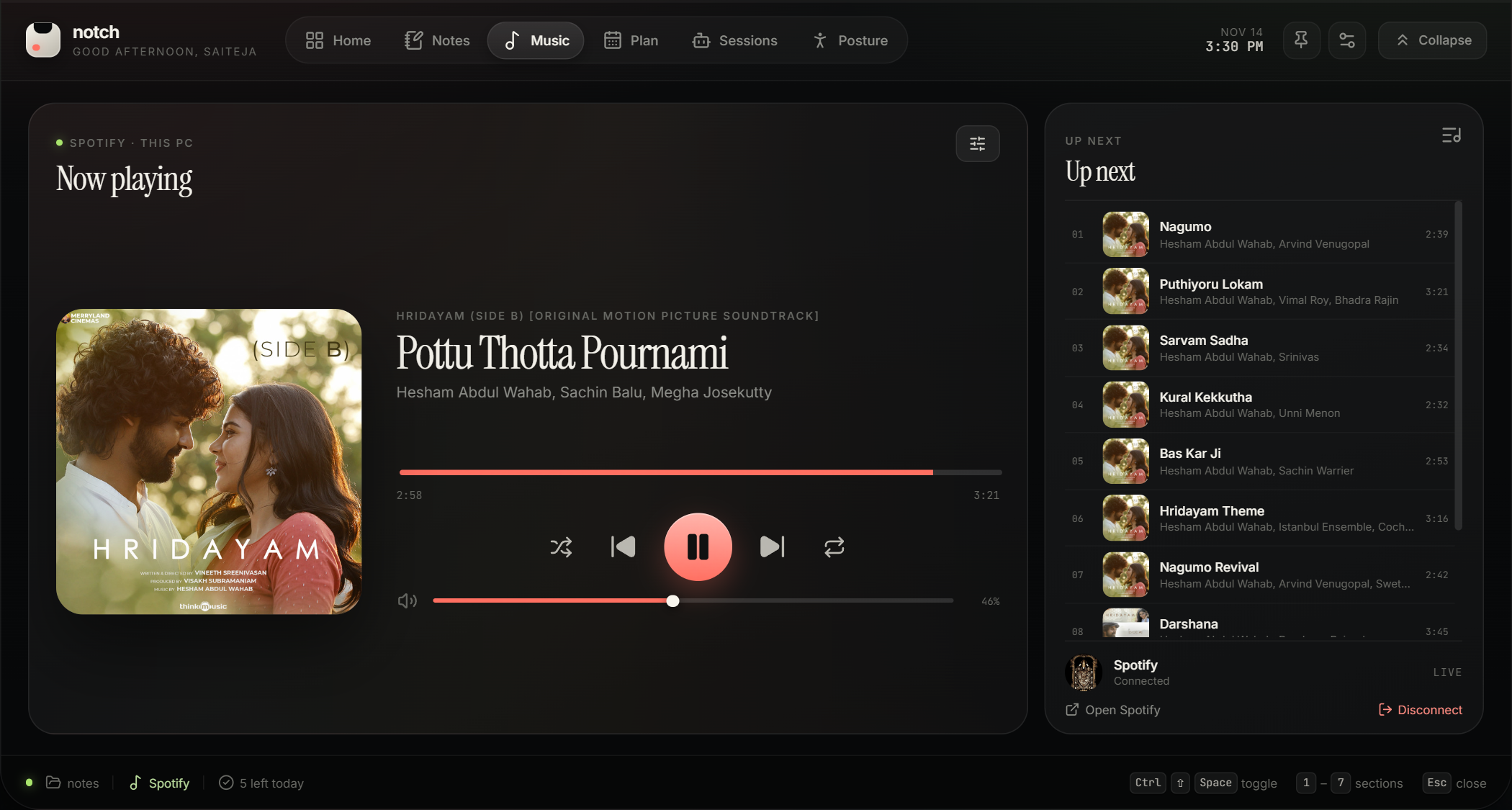
The Music page: album art, track title, seek bar, transport controls and the Up Next queue.

Music, without leaving the work.

If Spotify Desktop is running, Notch picks it up by itself. The collapsed tab shows the track and its progress; open it for transport, queue, shuffle and volume.

Basic control needs no login. A free developer app adds the queue.
Reminders

The one alert that reaches you mid-flow.

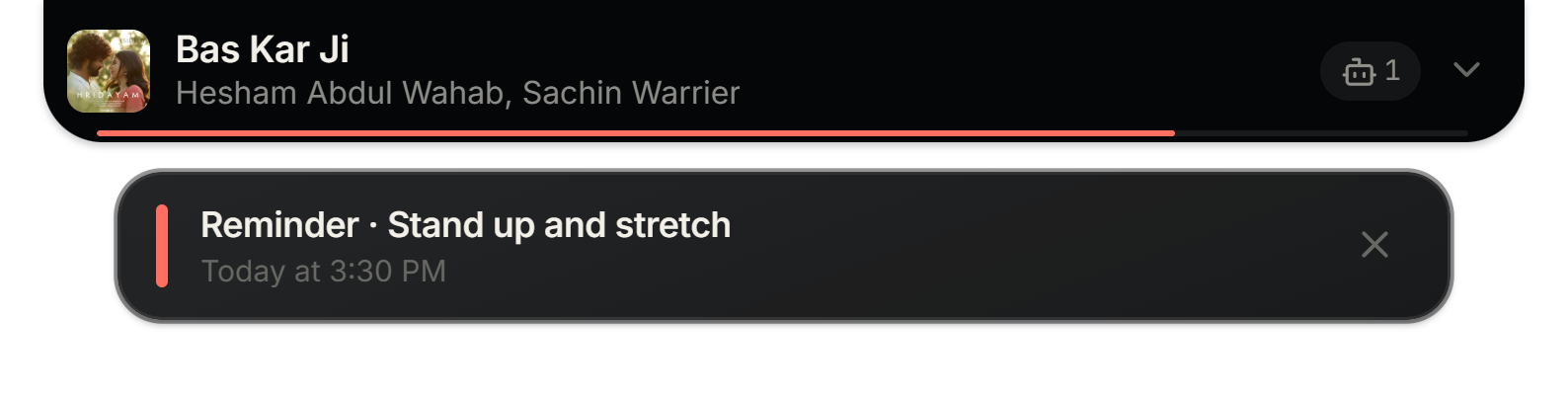
Notifications usually land in a corner you are not looking at. Notch puts the card directly under the collapsed tab, at the top of the screen, for twelve seconds — over whatever has focus.

  • Title and time, no window to close.
  • It never steals focus from your editor.
  • The system notification still lands where Windows allows it.
How reminders work
The collapsed notch bar with a reminder card below it: “Reminder · Stand up and stretch, Today at 3:30 PM”.
Real screenshot · collapsed bar and reminder card
Features

Five surfaces, one strip of screen.

Each one is complete on its own. Together they replace the five windows you keep open all day.

01 — Music

Your music, at the top of the screen.

If Spotify Desktop is open, Notch picks up the session automatically. The collapsed bar shows what is playing and how far along it is. Open it for play, pause, skip, seek and the queue.

  • No login required for basic control.
  • An optional free developer app adds queue, volume, shuffle and repeat.
  • Works alongside your code, not on top of it.
See it in the tour
Music page with a playing track, cover art, controls and the queue.
02 — Notes

A real Markdown editor, in a notch.

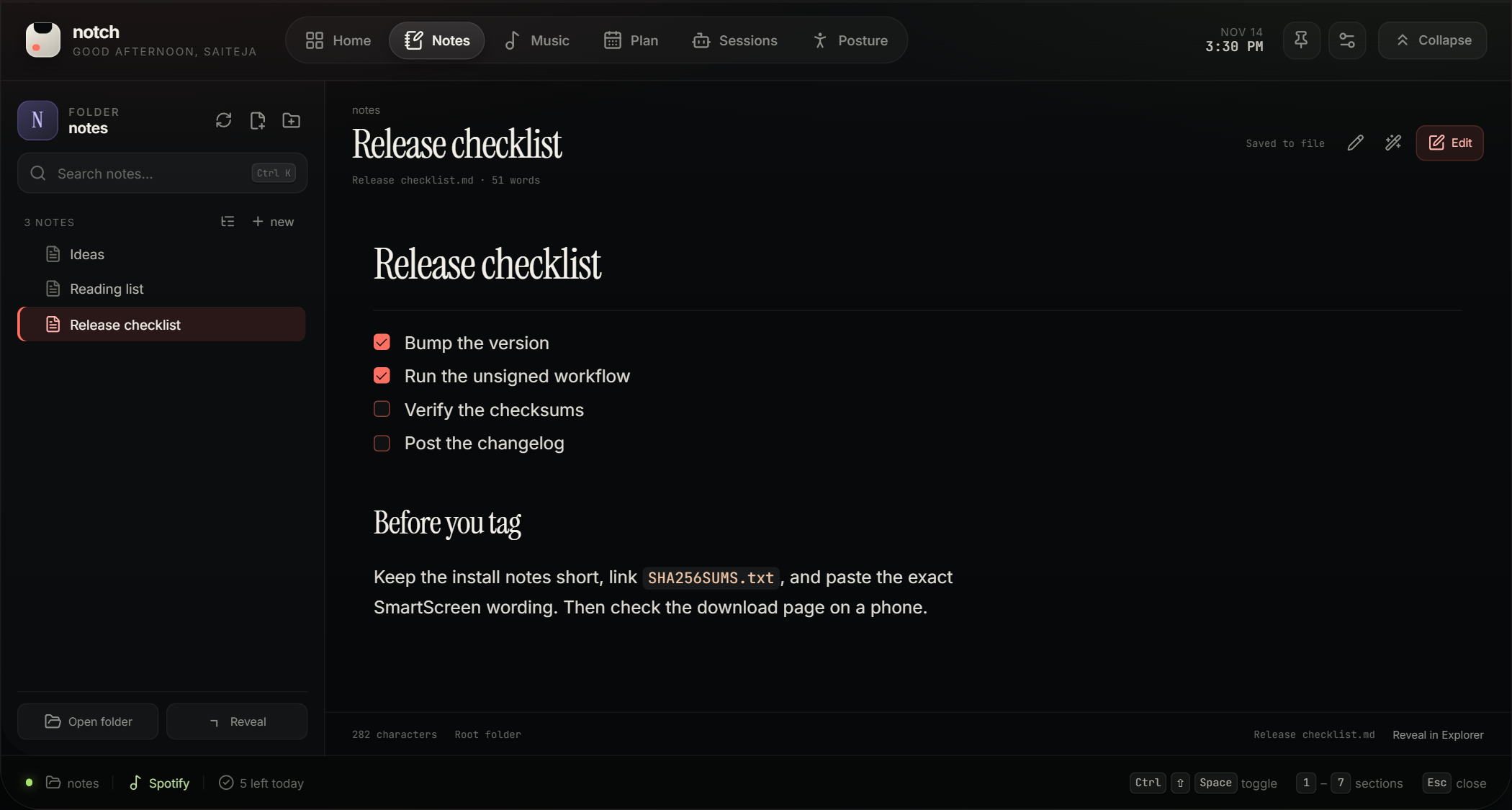
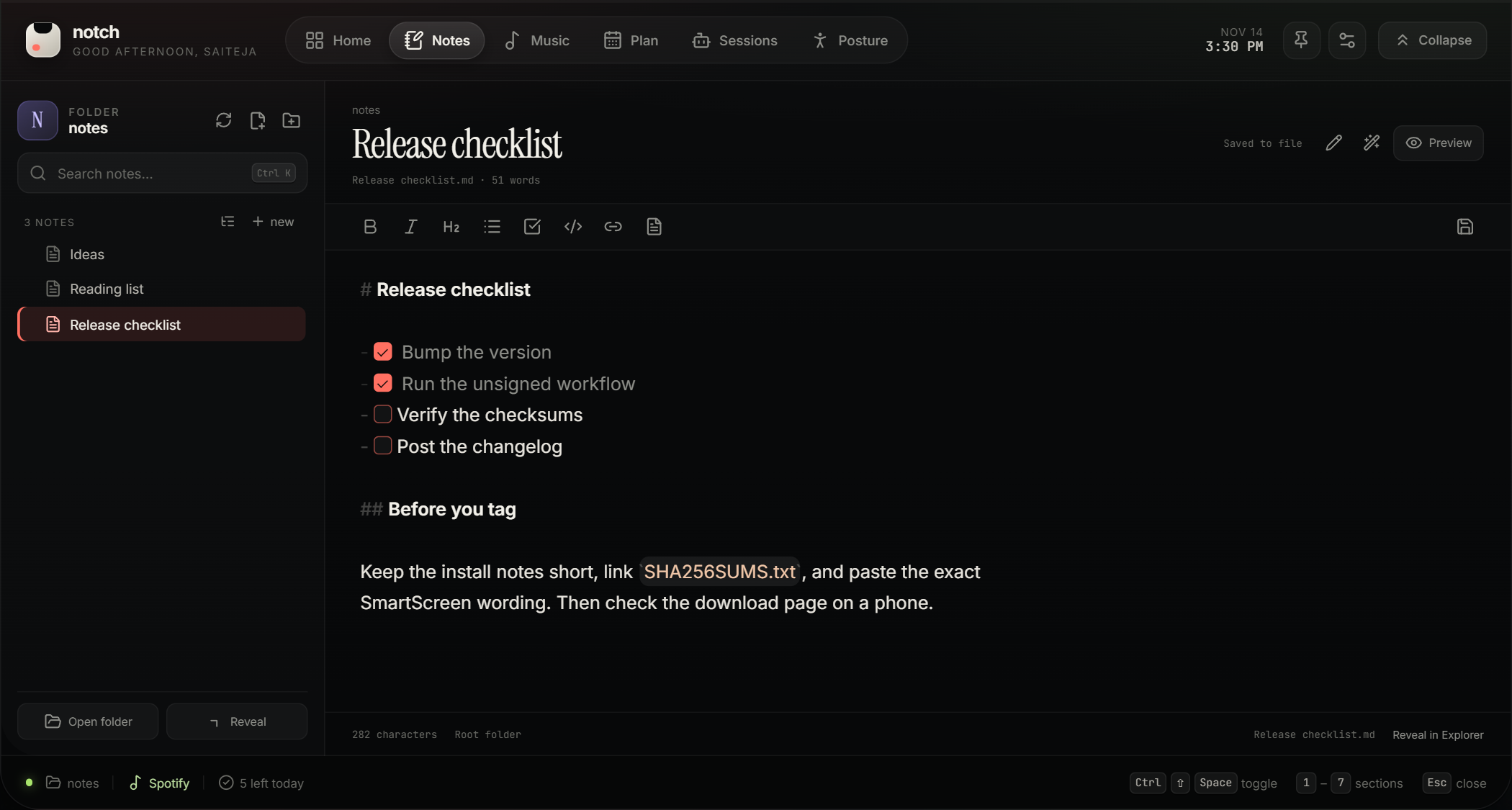
Point Notch at any folder of Markdown files. It reads the same files you already have — no import, no sync, no proprietary format. Formatting applies while you type, and Preview shows the finished page.

  • Headings, checkboxes, bold, code and lists, with the syntax kept visible while you edit.
  • Create notes and folders inline. Drag to move.
  • Autosave to disk. Your files stay plain .md.
See it in the tour
A note in Preview mode: a rendered heading, a checklist and a code chip.
03 — Plan

Reminders that actually reach you.

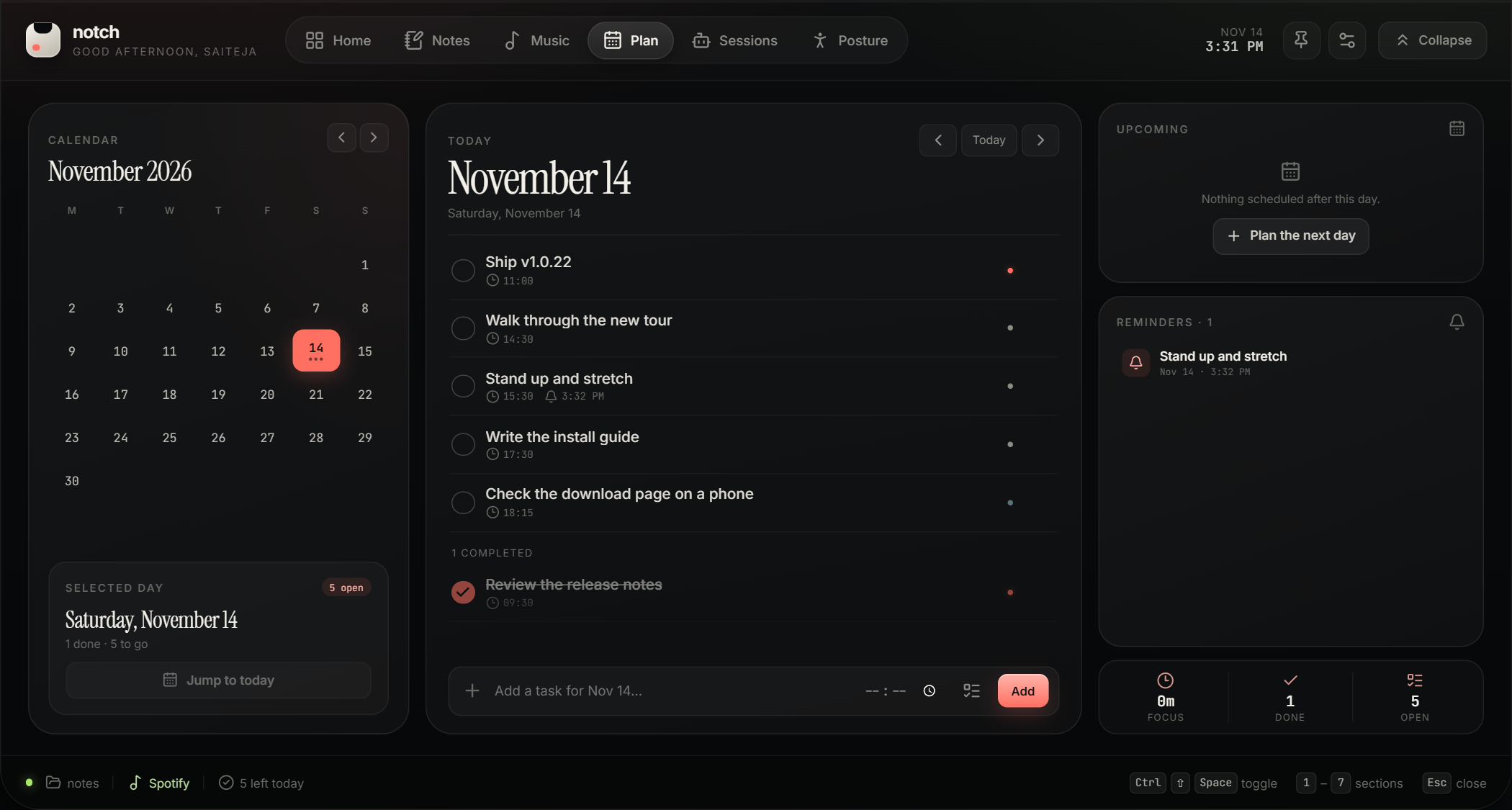
A day planner with a month calendar, priorities and times. Set a reminder and it fires while you are in another app: a small card unfolds under the collapsed notch with the title and time.

  • Reminders at the time, or 5/10/30/60 minutes before.
  • A card under the notch, plus a system notification where Windows allows it.
  • Nothing to dismiss mid-flow — it folds away on its own.
See it in the tour
Planner with the day’s tasks and a reminder attached to one of them.
04 — Posture

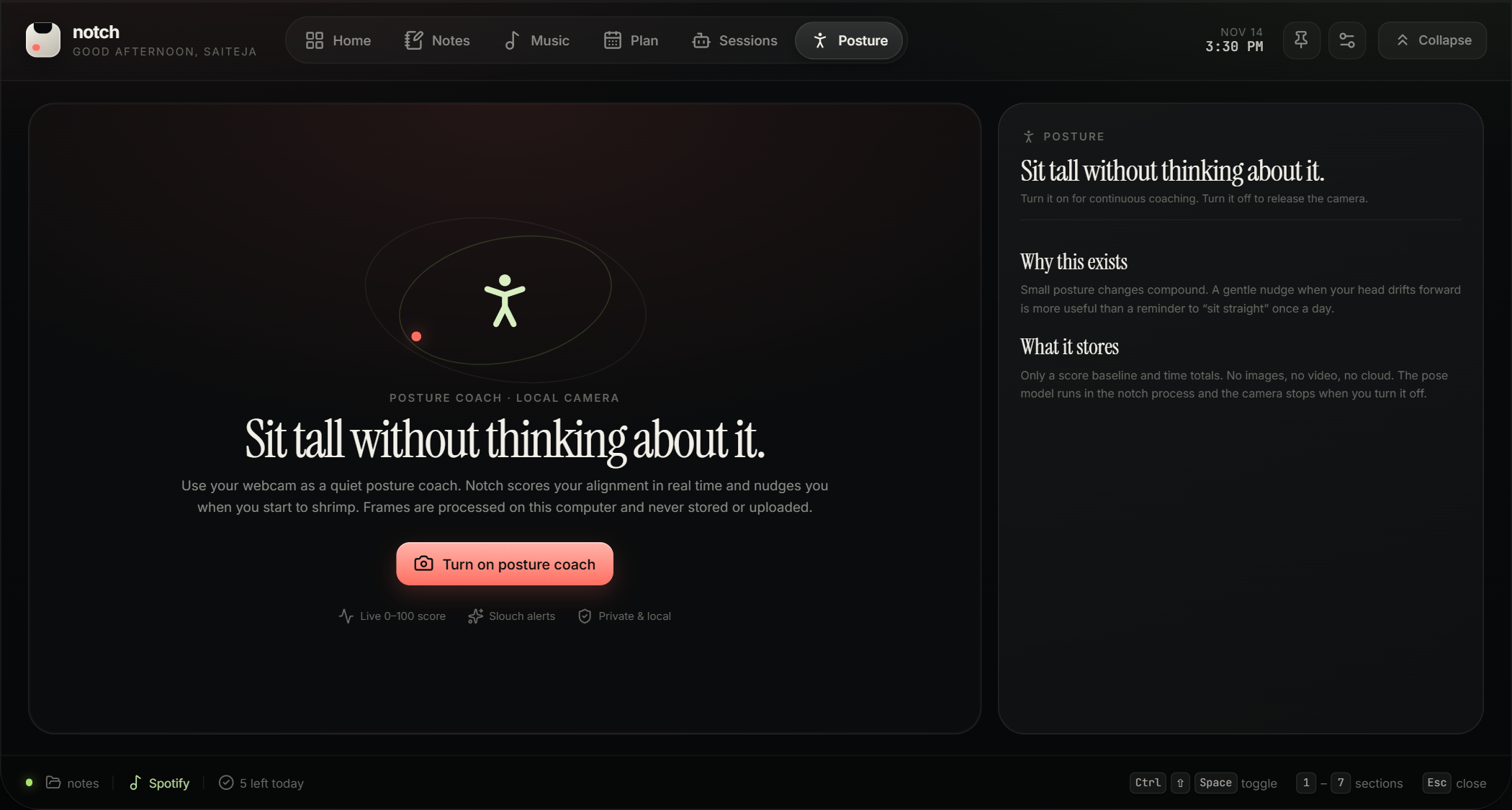
A posture coach that never leaves your PC.

Enable the camera and Notch scores your posture from 0 to 100 in real time. Set a threshold and it plays a soft two-note chime when you drop below it — only when someone is actually in frame.

  • Frames are processed on-device. Nothing stored, nothing uploaded.
  • It will not ring at an empty chair.
  • Daily totals, plus a one-time setup fitted to your camera and chair.
See it in the tour
Posture page in its off state, explaining the local camera and privacy.
05 — Sessions

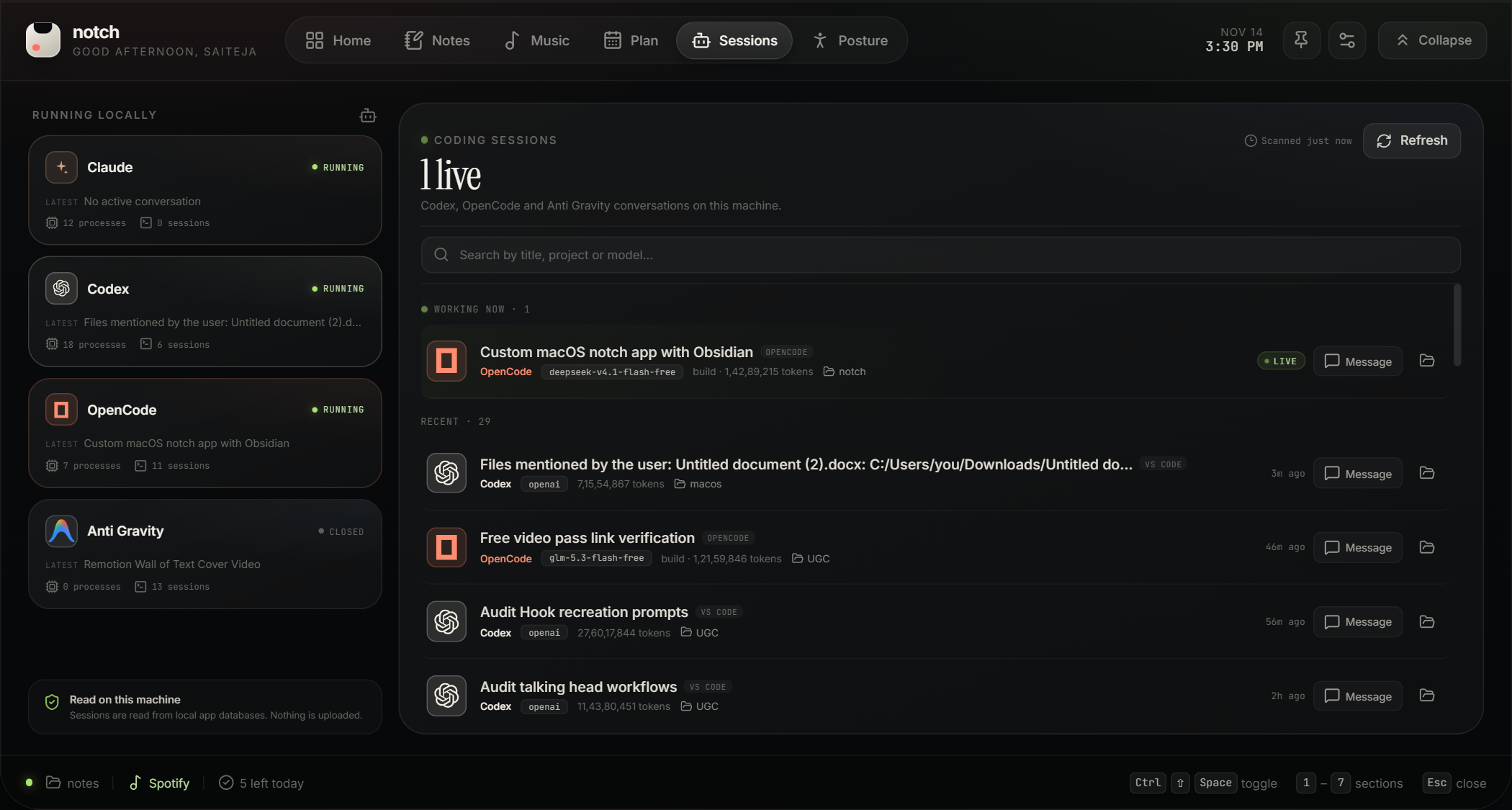
Codex, OpenCode and Anti Gravity, side by side.

Notch reads the local session state of each tool and shows live turns, models, tokens and the project folder. Open a session directory, or send a follow-up message from the notch.

  • One board for every agent you are running.
  • Search, and hide subagent noise by default.
  • Sending starts the provider’s own CLI — your approval rules still apply.
See it in the tour
Sessions board with running tools and coding sessions.
The quiet details

Details you only notice when they are missing.

Off the taskbar

Notch lives in the tray and the top edge only. No taskbar button, no Alt-Tab entry, no Task View tile.

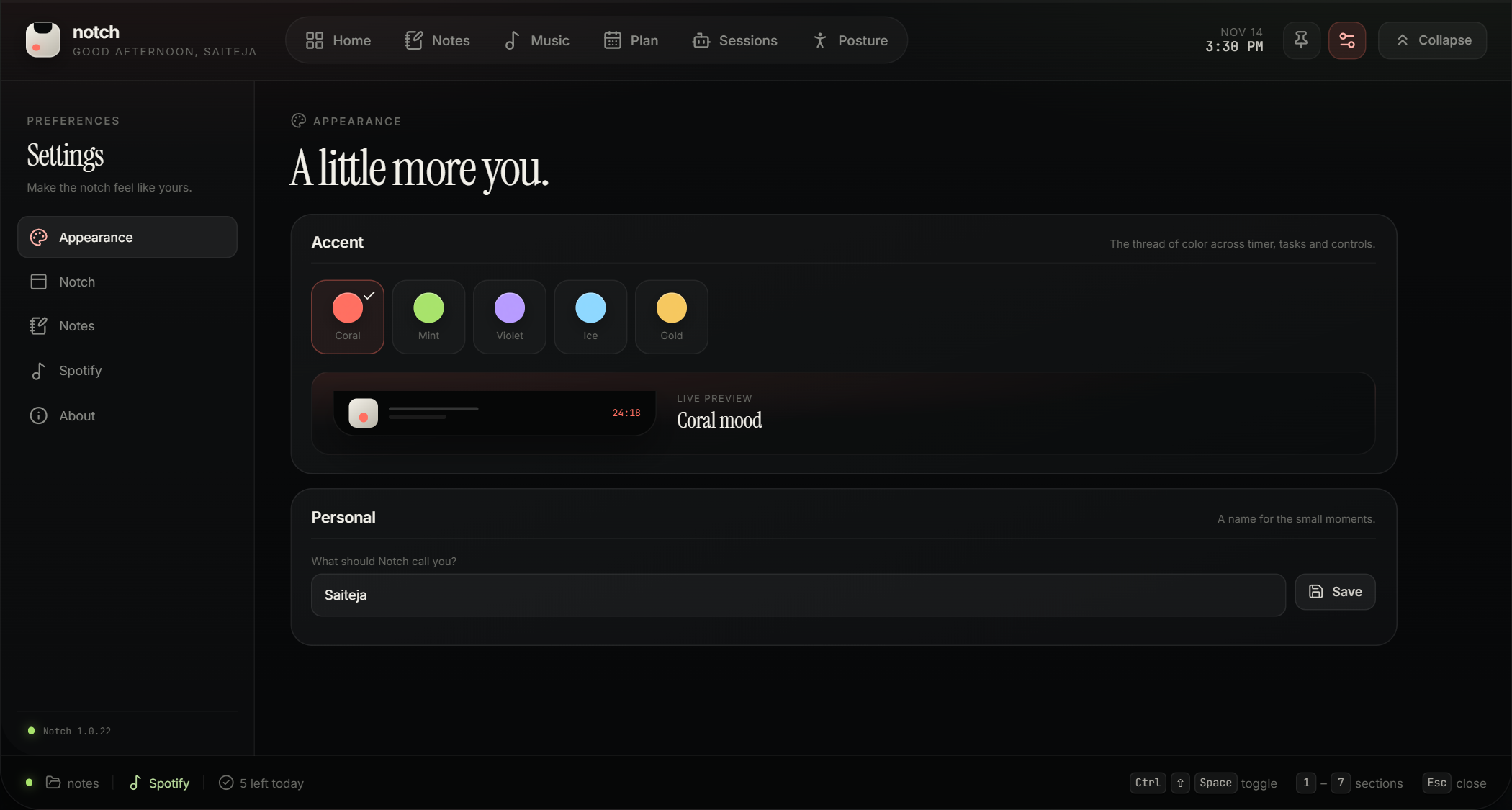
Five accents

Coral, mint, violet, ice and gold — applied across the whole panel.

Drag to place

Drop the notch anywhere along the top edge with a live placement map.

Hover or click

Open on hover with a delay you choose, or click to pin it open.

Your files

Notes are plain Markdown in your folder. State is a JSON file you can read.

Camera off by default

Posture is opt-in. The camera is only requested when you enable it.

Install

Running in about a minute.

One file, no account. The build is unsigned, so Windows will ask once — here is exactly what it says and why.

01

Download

Grab the installer for a Start-menu shortcut, or the portable build if you would rather not install anything.

Choose a build
02

Run it

Windows shows “unknown publisher” because the build is not code-signed. Choose More info → Run anyway, or verify the hash first.

03

Hover the top edge

The notch starts collapsed. Hover the top centre of your screen, or click the tab. Press Esc to fold it back.

# compare with SHA256SUMS.txt from the release page
PS> Get-FileHash .\Notch-Setup.exe -Algorithm SHA256
Why does Windows warn me?
The app is not code-signed. A certificate costs money every year and this is an independent project, so Windows shows the standard “unknown publisher” prompt. Every release is built by a public GitHub Actions workflow and publishes a SHA-256 checksum you can verify before running anything.
What is Smart App Control?
A Windows 11 security setting that blocks unsigned apps outright. If it is on, the installer may be stopped before it runs. The portable build often works, but if Windows still blocks it, turning Smart App Control off is a system-wide security decision that only you should make. The app is the same either way — it is the signing that is missing.
Installer or portable?
Both contain the same app. The installer (128.2 MB) adds a Start-menu shortcut and an uninstaller. The portable build (112.6 MB) runs from wherever you put it and leaves nothing behind except your settings in %APPDATA%\notch.
Does it auto-update?
Not yet. The app shows its version, and the site and GitHub releases always carry the latest build, so updating is a download away.
Honest limits

What it does not do.

Every utility has edges. These are ours, stated before you download rather than after.

  • Unsigned. Windows may warn, and Smart App Control may block it.
  • No auto-update. Updating means downloading the next release.
  • Windows only. Built and tested on Windows 10 and 11, 64-bit.
  • Electron. About 128 MB for the installer, 113 MB portable — the trade for one app instead of six.
  • Spotify queue needs setup. Basic control works out of the box; queue, volume and shuffle need a free Spotify developer app.
FAQ

Questions people actually ask.

How much does it cost?
One license, one price: $3.99 for the first 50 buyers, then $9.99. It is a one-time payment, not a subscription — details on the pricing page.
Where does my data go?
Nowhere. Notes are files in a folder you choose. Settings live in a JSON file on your PC. Posture frames are processed in memory and discarded. Spotify tokens stay on the machine.
Does it need the camera?
Only if you turn posture on. The camera is not requested at startup, and the Windows camera light stays on while it is in use — that is your confirmation nothing is hidden.
Will it slow my PC down?
It idles quietly with the panel collapsed. Posture is the only continuously active feature, and it is off by default. There is no claim of “0% CPU” here — measure it on your own machine.
Can I use my existing notes folder?
Yes. Point it at the folder. Notch reads and writes plain Markdown, so nothing is converted or locked in.
Which AI tools are supported?
Codex, OpenCode and Anti Gravity today. Discovery relies on their local session data, so a provider update can temporarily hide sessions.
Does it show up in Alt-Tab?
No. It is a tool window: no taskbar button, no Alt-Tab entry, no Task View tile.
How do I uninstall it?
Settings → Apps → Notch. Your notes are untouched. To remove settings and logs as well, delete %APPDATA%\notch.
Windows 10 and 11 · early bird $3.99

Put it at the top of your screen.

Local, one-time license, about a minute to install.